Sariel
A local-first macOS app for confronting your own rationalizations with on-device AI.
- status
- archived · as of
- period
- Jul–Aug 2026
- platform
- macOS
- stack
- Swift, SwiftUI, SwiftData, Ollama
- source
- repo ↗
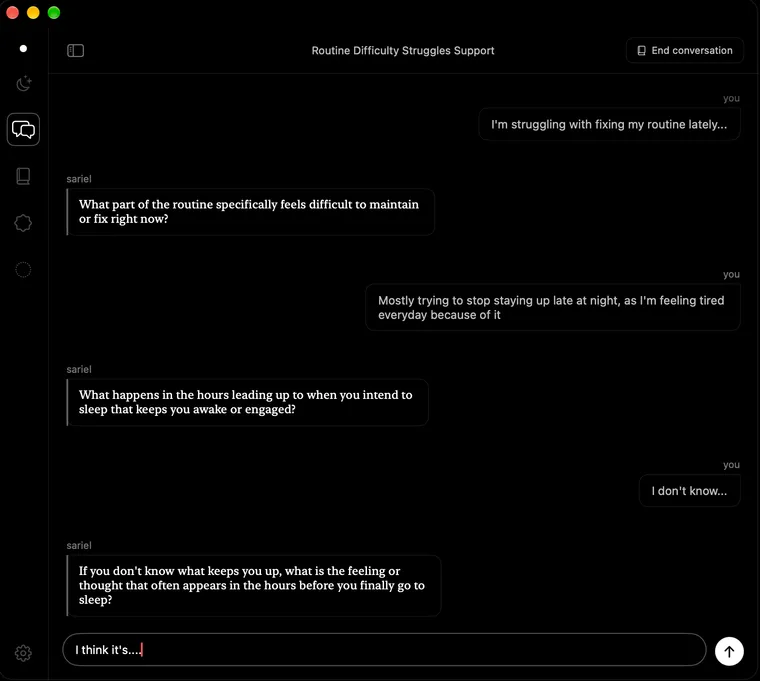
identity
I’m not here to comfort you. Tell me what you did, and I’ll ask why you call it what you call it. I remember what you promised, and one day I’ll ask whether you kept it. I’m named after a figure from an old legend who gave people forbidden knowledge of the stars; I give no answers either, only the patterns you couldn’t see on your own. And I know where I stop. If you’re truly not okay, I stop pushing. The truth can wait. You can’t.
idea
Most self-help apps comfort you, and comfort is exactly where rationalizations live. I wanted the opposite: a mirror. An app that listens, then names what you’re avoiding instead of telling you it’s okay. It came from a vision, not a need, and it was meant for me first; the university credit was a bonus. Everything runs on your Mac with a local model, because nobody should have to send thoughts like these to a server.
adr
001A confrontational mirror instead of another affirmation app
Before building anything, I looked at what personal-growth apps already do. One pattern kept coming back: positive reinforcement, mostly affirmations. In practice that often lets people rationalize what they’ve been neglecting and walk around the hard conclusions. It works for some people — not for everyone, and not for me. So I changed direction: instead of a lenient assistant, a confrontational mirror.
I also left out what I see as the illusion of productivity. The market is full of simple habit trackers and heavy task planners, all about organising time. I believe a disorganised life is usually not the cause but a symptom — of something unsettled underneath. So Sariel doesn’t treat the symptom; it goes after the cause. No ready-made answers, only a path to working them out yourself.
For the same reason I skipped gamification and reminders. They’re how most apps keep users coming back, but people get used to them fast, and then they stop working.
How I see it now
That last decision is the one I’d question today. I skipped reminders because people get used to them — and then the app failed exactly at the threshold: I never opened it.
Underneath it was a bigger assumption: that the user really wants to change, and will come back on their own. But someone disciplined enough to come back on their own may not need a mirror at all — and someone who needs one often doesn’t have that discipline. Sariel asked its users for the one thing they were missing. I’m still not sure whether that’s a failure of discipline or of design; I lean towards design, because the user’s weakness was the problem the app was supposed to work with, not around.
002Sariel over Provo
Sariel isn’t a word anyone connects with personal growth, so the name needs a word of explanation. It comes from a figure in an old legend who passed forbidden knowledge of the stars on to people.
In the app, it’s a metaphor for how the whole thing works. Sariel gives no ready-made answers; it lets you see patterns you can’t notice on your own. I believe most of life runs on habits that last until something from the outside questions them. That’s Sariel’s job: to question your views and your approach, and show you something you wouldn’t reach by yourself.
During the work, a second name came up: Provo, short for provocation. Honestly, it’s a good name — catchy, and it tells you in one word what the app does: it provokes, it confronts. It wasn’t the first name; it was born along the way. Despite how well it carried the message, I stayed with Sariel for a simple reason: Provo sounds casual, and Sariel is meant to feel authentic.
003A local model instead of a cloud AI API
This one was forced by privacy. Sariel works with people’s inner lives — far more sensitive than what most personal-growth apps touch. A cloud API would mean sending those thoughts to another company’s servers, where I’d have no control over what happens to them. So everything runs on the user’s Mac, through Ollama.
The cost: a smaller model needs a much heavier prompt. The instructions are numbered and repeated, they say more than once that the rules come first, and the format of every answer is strictly set. Small models also hallucinate more, so the app never lets the model decide anything on its own — it proposes, the app checks, and the user confirms before anything is saved.
004gemma4:e4b — a smaller model that follows its instructionsv0.9.0
I chose the model by two criteria: how well it follows the system instructions, which carry the whole app, and whether it runs well on an average Mac with 8–16 GB of RAM.
I tested several models, gemma3:12b among them — and for one day it was even my recommendation. But despite being bigger, it skipped instructions far more often, and it failed the safety tests: it didn’t reliably recognize a user in crisis. So I switched to gemma4:e4b. It supports the system role natively and holds to the priorities set in the prompt with real discipline, and it’s small enough to answer quickly without eating the memory.
Bigger isn’t automatically safer.
The model can still be changed in the settings — with more resources, a user may prefer a larger one. But next to that choice the app recommends gemma4:e4b and explains why, ending with a warning I wanted every user to read:
REMEMBER: DO NOT TRUST ANYTHING THE MODEL SAYS AS FACT. IT IS AI, NOT A HUMAN. If you are experiencing a mental health crisis, do not rely on the model’s response — please contact a crisis line or emergency services immediately.
005Large parts split into a base file and extensions
Three parts of Sariel grew big enough that one file each would have meant around 1,000 lines. That wouldn’t break anything — the app runs the same — but nobody, me included, wants to read it. I follow a loose rule: files up to about 300 lines, or split by responsibility.
So each of the three is a base file plus Swift extensions — separate files that add to the same type, each with one job:
- PromptBuilder (the system prompts) — the base and one file per conversation mode: Provocation, Tribunal, Credibility, Journal, Acquaintance. Each prompt can be read and tested on its own.
- ChatService (the chat logic) — the base and Provocation, Tribunal, Acquaintance.
- SettingsView — the main view and one file per settings section: AI Behaviour, Danger, Data Transfer, Personalization, Privacy, Shortcuts.
The rule has exceptions: ContentView is over 400 lines, because splitting one of the central files would have made it harder to follow, not easier.
006Five layers of defence against the model's hallucinationsv0.13.0
Small local models hallucinate, and in Sariel the model’s output can change the user’s own data: journal entries, commitment verdicts, the profile. So protection doesn’t rest on one mechanism but on five independent layers, each at a different stage of the data’s way through the app. In one sentence: the model proposes, the app validates, the user confirms — and only then is anything saved.
1. Limits in the prompts
In testing, the Tribunal hallucinated the most: after going through the real declarations, it added its own, grounded in nothing. So its prompt says it plainly:
Critical constraint: the list of pending declarations given to you in the system message below is closed and authoritative. There are no other declarations besides the ones listed there.
The verdict prompt goes one step further — it assumes a hallucination has already happened in the transcript and tells the model to ignore it:
Ignore all of that entirely. Judge only the single declaration named below, using only what the user said about it specifically.
The profile prompt has the same kind of guard: only include what the user actually said; do not infer or invent details they didn’t share.
2. Parsing with a retry
parseVerdict()returns one of three results:.fulfilled,.brokenor.unrecognized. An unrecognized answer triggers one retry (maxVerdictParseAttempts = 2). If that fails too, the declaration stays pending and the user is told which verdicts couldn’t be reached. An answer the app can’t interpret never reaches the database.3. The user decides before anything is saved
The key layer.
generateVerdicts()saves nothing: it returns temporary values whose proposed status can still change. An overlay lets the user flip any verdict by hand, and onlyapplyVerdicts(), after the user accepts, writes the status to the realCommitment. The profile works the same way: a generated draft waits in memory until the user accepts it — or asks for a new one.4. Declarations are detected deterministically
Commitment.isDeclaration(_:)only checks whether the user’s message starts with a fixed prefix: “I declare” (or “Ja deklaruję”). The model has no say in whether a commitment exists at all — which closes a whole class of edge cases before they can happen.5. Errors never go back to the model
Error messages are saved in the conversation, starting with ⚠️, so the user sees them. But
ChatMessage.isValidExchangefilters them out, together with empty messages, from everything sent back to the model — so it never builds on its own failures.007A rolling summary instead of an ever-growing historyv0.6.0
A chat model doesn’t remember a conversation — with every new message it reads the whole thing again. Big cloud models have a wide context window, and they still lose the thread in long chats. A small local model loses it much sooner. In testing it also cut answers off mid-sentence: every answer has a token limit, and when the conversation plus the answer don’t fit in the model’s context window, generation simply stops.
At first I only capped the history: the last 30 messages (
maxHistoryMessages) went to the model. That wasn’t enough. So I added a rolling summary that works in the background:- Once more than 10 messages haven’t been summarized yet (
summaryRefreshThreshold), a separate prompt folds the older ones into a short summary in the third person. - The raw history then shrinks from 30 messages to the last 8 (
keepRawMessages) — the current thread stays word for word, only the older part is summarized. - The summary is invisible to the user. It exists only so the model doesn’t lose the thread.
Editing the history is handled too. The user can go back and delete or edit earlier messages, so
reconcileSummary()rolls back the summarized count and clears the summary if it contained a removed message. The model can’t remember something the user has already taken back.The summary is only for the live chat. When a conversation ends and Sariel writes the journal entry, the model gets the whole conversation, message by message — minus the errors — not the summary. A journal entry is the one place where a detail lost in summarizing would really matter, and at that point there’s only one answer left to generate, so the full history fits.
The summary is refreshed asynchronously, after the answer is already on screen, so the chat doesn’t slow down.
- Once more than 10 messages haven’t been summarized yet (
008Three kinds of data, three places to keep them
Sariel keeps its data in three places, each chosen for what the data is:
- Content in SwiftData — conversations, messages, journal entries and their tags, commitments, achievements, letters to your future self, meditation sessions: eight types in one
ModelContainer. This is the user’s real data, with relations between the pieces, and it’s what the JSON export carries. - Preferences in UserDefaults — small settings like the theme, the language or the journal style. They’re read at launch and don’t belong to the user’s story, so they don’t belong in the database either.
- The PIN in the Keychain — the one secret in the app goes where macOS protects secrets, stored as a hash, never as the PIN itself. It’s not part of the database, so it never ends up in an export file.
- Content in SwiftData — conversations, messages, journal entries and their tags, commitments, achievements, letters to your future self, meditation sessions: eight types in one
009The Stellaris hub abandoned for the side panelpre-hub-stable
At one point, just before v1.0.0, I started planning a rebuild of the whole navigation, under the working name Stellaris. The tag
pre-hub-stablestill marks the last commit before the rework.Until then, Sariel’s main sections — the dashboard, chat, the Tribunal, the journal, meditation — sat in a fixed side panel with an icon for each and one for the settings. A familiar pattern, very intuitive. But I started thinking about something that promised much more.
Stellaris was meant to be a hub: the app’s main screen as a star map. In the middle, one pulsing star — a metaphor for the user’s “self”. Around it, the app’s sections as planets, and smaller stars showing the history of declarations: red for broken, white for kept. It fitted the name, and it would have given me room for new interactive elements and far better visuals.
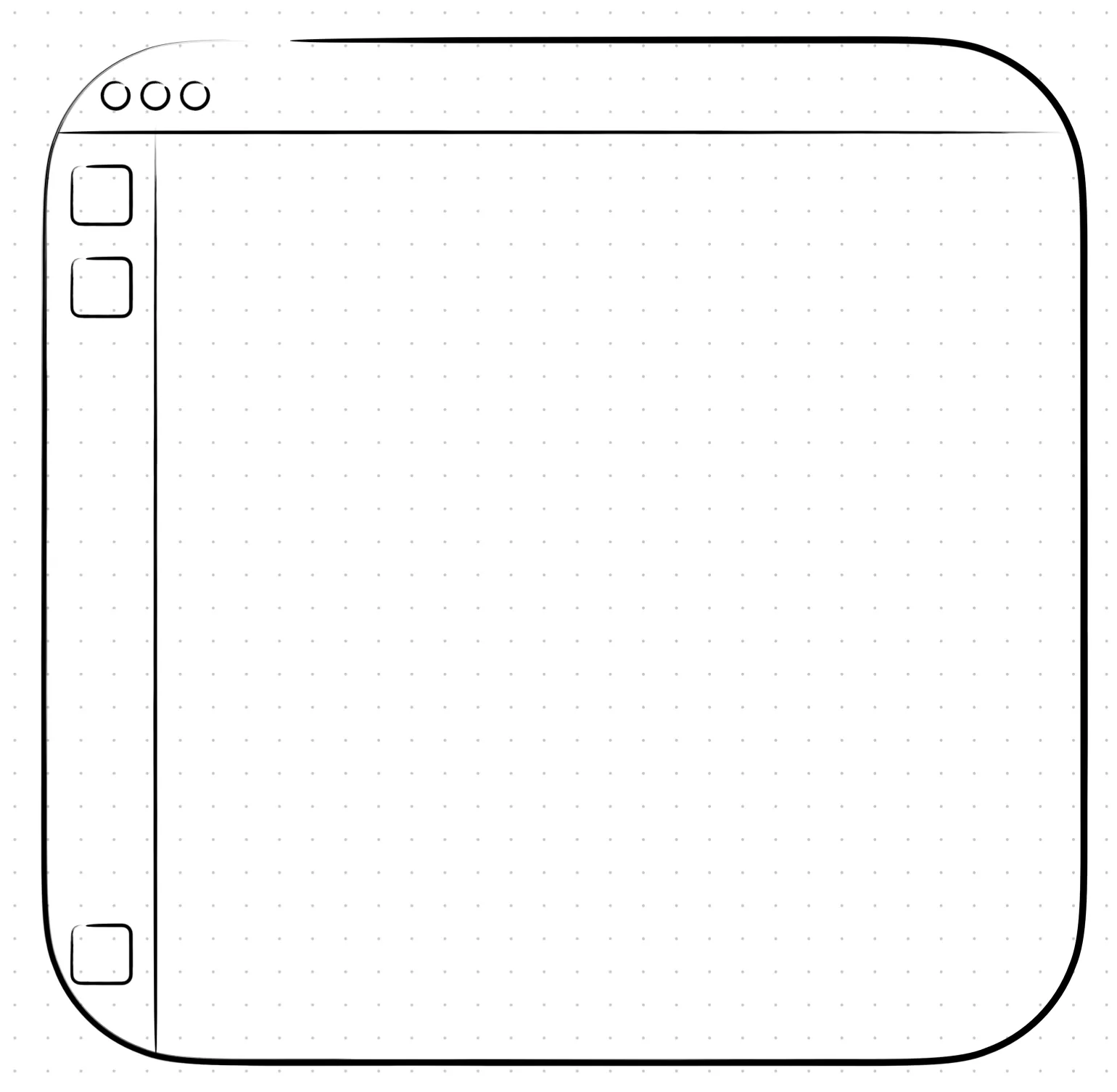
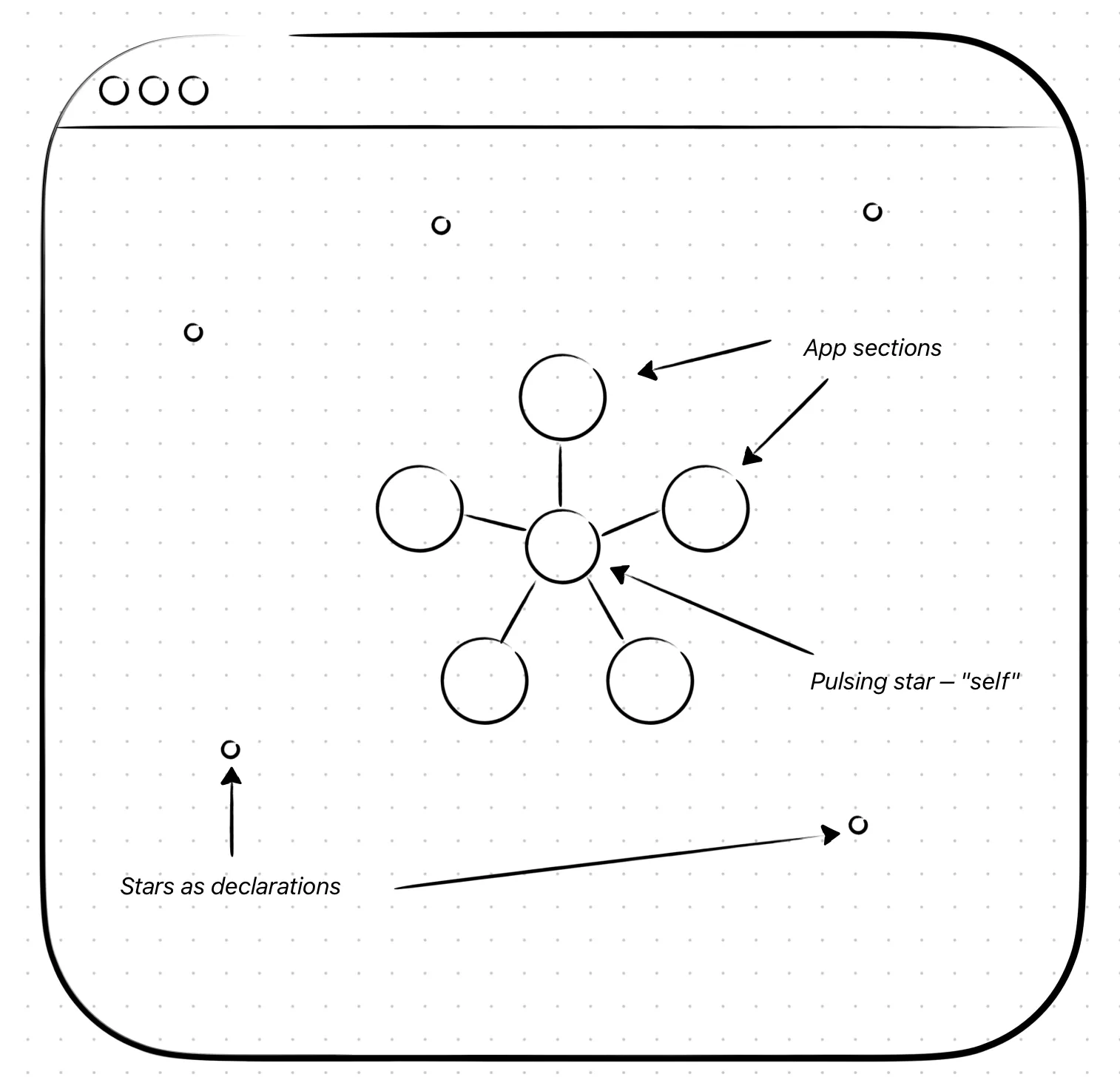
I dropped it, and not because it was hard to build. It cost intuition. Sariel is a desktop app, and with a hub, switching sections means going back to the hub first — an extra step that gives up a simple, familiar navigation. It also raised a new problem: where to put the way back to the hub. There was no fixed free place for one more icon, so every section would have needed rebuilding around it.
A side panel is what a Mac user expects. Stellaris never got past an empty placeholder section; I removed it in v0.14.0, together with Vent, and the side panel stayed.
010Vent — built, then removedv0.13.0
Vent is the only section of Sariel that was fully built and then taken out. First, what it was.
Vent was a place to throw out every negative thought you had — and then burn it. You could write anything, up to 1,000 characters, then hold the Burn button, and the whole text burned away, character by character. The limit was there because of that animation. The text was never saved anywhere, not even in the app’s own database: the notepad was just part of the interface.
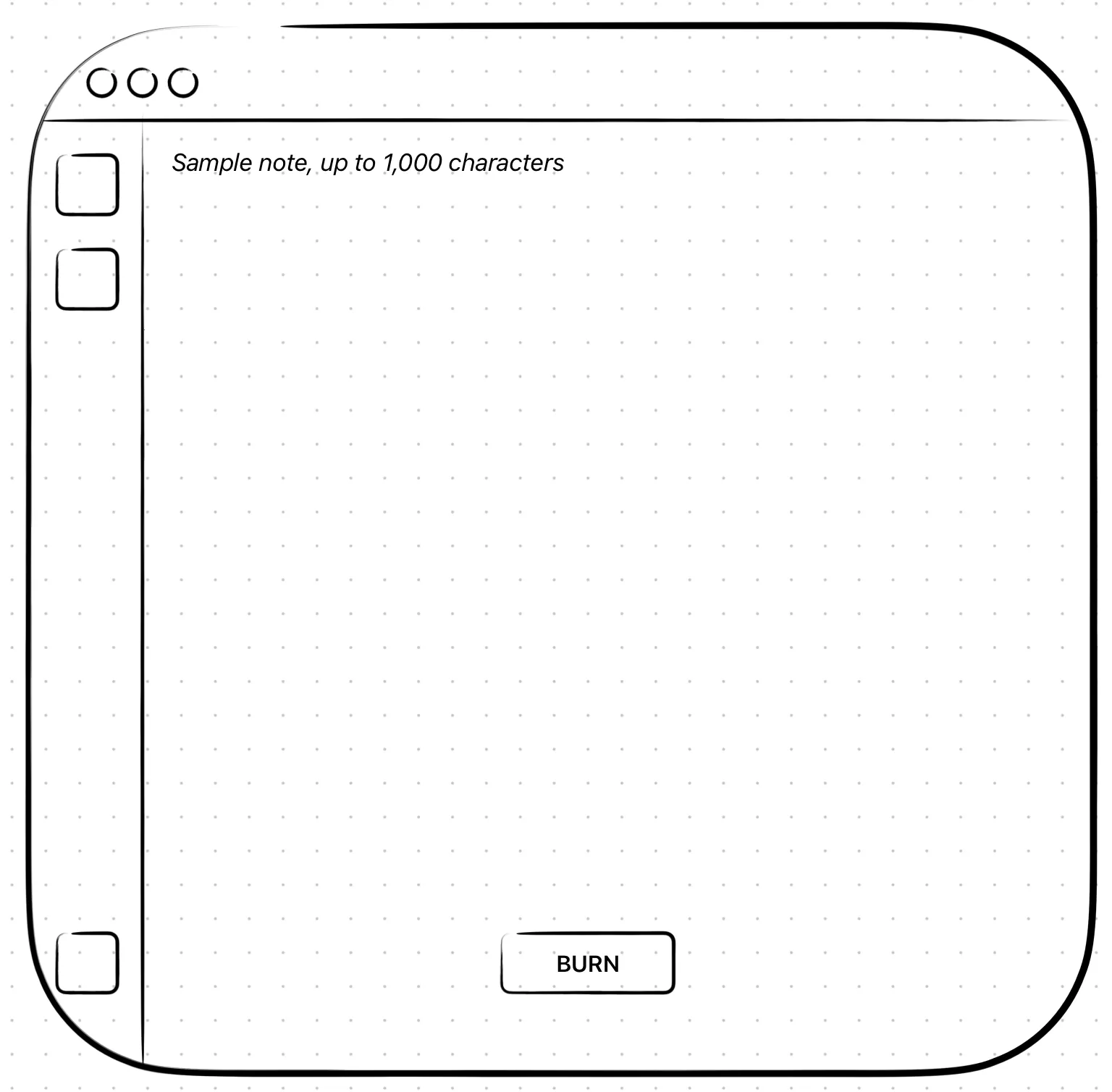
It was meant as a psychological gesture more than a function — the digital version of writing a note and burning it for real. No counter of burned notes, no link to the rest of the app. And that’s where the doubts started.
The first was trust. Technically the text had no right to be stored anywhere — but whether every user would believe that about an unknown app from an unknown developer is a different question. The second was use: Vent offered one animation and, honestly, did nothing else. So I removed it in v0.14.0 and spent the time polishing the rest of the app.
011No third-party libraries
Sariel doesn’t use a single external Swift package. Partly because it never needed one — but mostly because of privacy. An app that promises your thoughts stay on your Mac is easier to believe when there’s no third party inside it to check. With no dependencies, there’s nothing to audit but the app itself.
The only thing Sariel relies on from outside is Ollama — and it’s a separate, open-source program running locally on the user’s own machine, not a library in the app and not a server somewhere else.
012An initial instead of the full namev1.27.0
I made the icon myself in Freeform, out of plain shapes: circles and the app’s initial set in Luminari. It’s meant as a mirror — going deeper into yourself, and breaking out of your patterns, which is what the broken circle stands for.
The first concept was one circle with the full name inside. At icon size it was unreadable. An initial reads far better small, and it stands out among other apps.

It only arrived in v1.27.0, the last version. In theory it should have come before v1.0.0, but as a purely visual piece I left it for the very end. It was also my first real lesson in making an icon.
013No editor for the personality promptv0.11.0
It was in my first scenario: a setting that let the user rewrite Sariel’s personality prompt. I built it, and a few days later I took it out — the only part of the original plan that went that way. Three reasons.
It promised more than it did. At first there was one system prompt, for the chat. Then the prompts grew far beyond the plan: the Tribunal, its verdicts, provocations, the getting-acquainted conversation, summaries, titles for conversations and entries, the user’s profile. The editor looked like it changed the character of the whole app, but it only changed the ordinary chat. An empty promise — and the app would have had a split personality.
It worked against the app’s purpose. Sariel isn’t a wrapper around a local model. It’s a confrontational system, and that’s the point. With a free hand, a user could soften its tone or turn it into something else entirely — and the app would stop doing what it was made for.
It could remove the safety boundary. Every prompt carries a hard crisis-safety boundary: if the user is really not okay, Sariel drops the confrontation. That boundary lives inside the same text the editor exposed. Editing the prompt meant being one keystroke away from deleting it.
The architecture could be changed — an editable personality part, with the safety boundary always added on top, out of the user’s reach. But with all three reasons together, I chose not to have the feature at all.
014A PIN as a curtain, not a safe
Sariel can be locked with a 4-digit PIN. If the Mac has Touch ID, the app detects it and allows unlocking with a fingerprint.
After more than three wrong PINs, a lockout starts and grows with every failure: 30 seconds, 1 minute, 5 minutes, 15 minutes. The countdown survives quitting the app — otherwise closing and reopening it would reset it.
Touch ID works even during a lockout, and I think that’s safe: the lockout is there to stop guessing, and a fingerprint isn’t a guess — it identifies the owner of the Mac. If several people have their fingerprints on one Mac, that’s the user’s decision, not the app’s.
I know where this stops. The PIN keeps out someone who opens the app on your unlocked Mac — not someone with access to the disk. The data itself isn’t encrypted by Sariel, and the lockout counter lives in the app’s preferences. Against that, what protects you is the Mac’s own password and FileVault. The PIN is a curtain, not a safe.
conclusions
The idea itself failed
Over a month of work, eight hours a day, tests, documentation, everything working — and after v1.27.0 I never opened Sariel again. Not because of a bug. There is no good day to open it: on a good day nothing feels like it needs confronting, and on a bad day you’re already too low to bear finding out more about yourself. Careful work, wrong idea. My strongest lesson from my first project at this scale: if I can’t see myself using an app, it isn’t a good product. It may sound self-critical — some would say the idea is unique, and maybe it is. But measured by what it was made for, it failed. Is that bad? I don’t think so: working with Claude, I learned in weeks what would normally take me much longer to figure out — the difference between a vision and practical use.
MVP first, the rest grows on the way
Sariel ended up far bigger than its first scenario. The scenario stayed the foundation, but most ideas came during the work. That’s fine, as long as the first goal is a minimal version that works, and everything else grows from it.
Localization should have been there on day one
My biggest mistake. I added Polish language halfway through, so every existing text had to go back through the localization layer, and misses kept showing up as late as v1.26.1. Doing it from the start looked like double work; skipping it was much more work in the end. After finishing I also found String Catalog in Xcode, which would have been the better tool.
Buttons should have agreed from the start
For a long time some buttons didn’t react to hover at all and looked like part of the background. I unified them late, button by button, and some misses showed up much later. Shared components from the first button would have cost less.
v1.0.0 came too early
Because of those two mistakes, fixes were still landing long after 1.0. Next time: much wider testing before the version that’s supposed to mean “done”.
Semver, learned the hard way
Conventional Commits from day one, semver only later — earlier milestones got their tags afterwards. For most of the project I tagged the commit with the finished feature and forgot to bump MARKETING_VERSION; the right way, a tagged “chore: bump marketing version” commit, came near the end. Now I use the version.xcconfig file to set the version of the project in one place.
Rules that held
- Polish before new features. Not always, but mostly — new features on top of known bugs don’t remove the bugs, they hide them.
- Files around 300 lines, against one file that does everything. Not a hard limit: ContentView is over 400, because splitting one of the central files would have made it harder to read, not easier.
- Don’t repeat yourself. MonitorConnection started as a status dot in the side panel; later the chat used it too — when the connection to Ollama came back after an error, it retried the model’s answer. One piece, two jobs.
The user won’t do what you expect
When a conversation ends, Sariel writes a journal entry from it. I first assumed a patient user who waits for it. But what if they start a new chat right away? The loading has to stay in that conversation’s view. What a user should do and what they can do are two different things — and the app has to handle the second.
Writing the documentation found bugs
I wrote the documentation alongside the app, not after it. Describing each feature in detail made me look at it the way a reader would — and some bugs showed up on paper before any user could find them.
Claude wrote much of the code, I made every decision
Every design, architecture and feature decision was mine. A large part of the code was written with Claude — one feature at a time, each piece understood and checked, never whole modules generated at once. The ~580 commits are the record of that process. Using AI well is a skill, not something to hide; using it without understanding the code is the problem.
Known limits
Trade-offs I accepted, and problems I know about:
- No App Sandbox. Sariel has to start
ollama serveoutside itself, so the sandbox is off. That rules out the App Store and gives the app wider access than it needs. A conscious trade-off. - “Local only” is a promise, not a lock. A user can point Sariel at a remote Ollama host; the app warns that the data then leaves the Mac, but doesn’t block it.
- Localisation is spread across the files. Each view keeps its own texts in an extension — easy to edit in place, but a new language means touching every one of them.
- Context is counted in messages, not tokens. With a small model and long messages, the context window can still overflow.
- No database migrations. A big schema change would break compatibility; the only way across would be export, reset, import.
kill -9leaves Ollama running. If the app is killed that hard, the Ollama server it started is orphaned. I didn’t find a proper fix; the test for it still fails.- Gaps in the tests. No integration tests against Ollama, and one test suite works on the real Keychain.